Day: October 9, 2026

  • OSINT of Slovenia

    Free OSINT toolkit for Slovenia:
    https://unishka.substack.com/p/osint-of-slovenia

    Feel free to let me know in the comments if we’ve missed any important sources.

    You can also find toolkits for other countries that have been covered so far on UNISHKA’s Substack, and our website.
    https://substack.com/@unishkaresearchservice
    Website link: https://unishka.com/osint-world-series/

    submitted by /u/Puzzleheaded-Sock294
    [link] [comments]

    Source: Reddit r/OSINT · 2026-10-09

  • Neogen data breach — 435,963 accounts

    Neogen data breach — 435,963 accounts

    In August 2026, the food and animal safety organisation Neogen was the target of a ShinyHunters “pay or leak” extortion attempt. The group later published data it claimed had been obtained from Neogen. The data consisted largely of corporate contact records and included 436k unique email addresses from mailing lists, employee records and other contacts.

    • Breach date: 2026-08-29
    • Added to HIBP: 2026-10-09 07:06 UTC
    • Compromised accounts: 435,963
    • Compromised data: Email addresses, Employers, Job titles, Names, Phone numbers, Physical addresses, Salutations
    • Domain: neogen.com
    • Verified: Yes

    Source: Have I Been Pwned — Breaches · 2026-10-09

  • Gear Review: XTEINK X4 Pro

    Gear Review: XTEINK X4 Pro

    I read a lot. I also travel a lot. Many years (maybe decades) ago I would buy a paperback book and throw away the pages as I traveled, making the book lighter and smaller as the trip went on. E-readers solved that. Just a few years ago, I reviewed the largest readers I could find. I wanted a huge 13.3″ device which could serve me my daily newspapers in PDF format. I still use my Boox Note Max every day to read two newspapers.

    This review goes in the opposite direction. I have been seeing pre-orders and gossip about tiny e-readers, some smaller than a cellular phone (which isn’t hard these days with the oversized Pop-Tarts we are forced to carry around). I finally settled on the XTEINK X4 Pro.

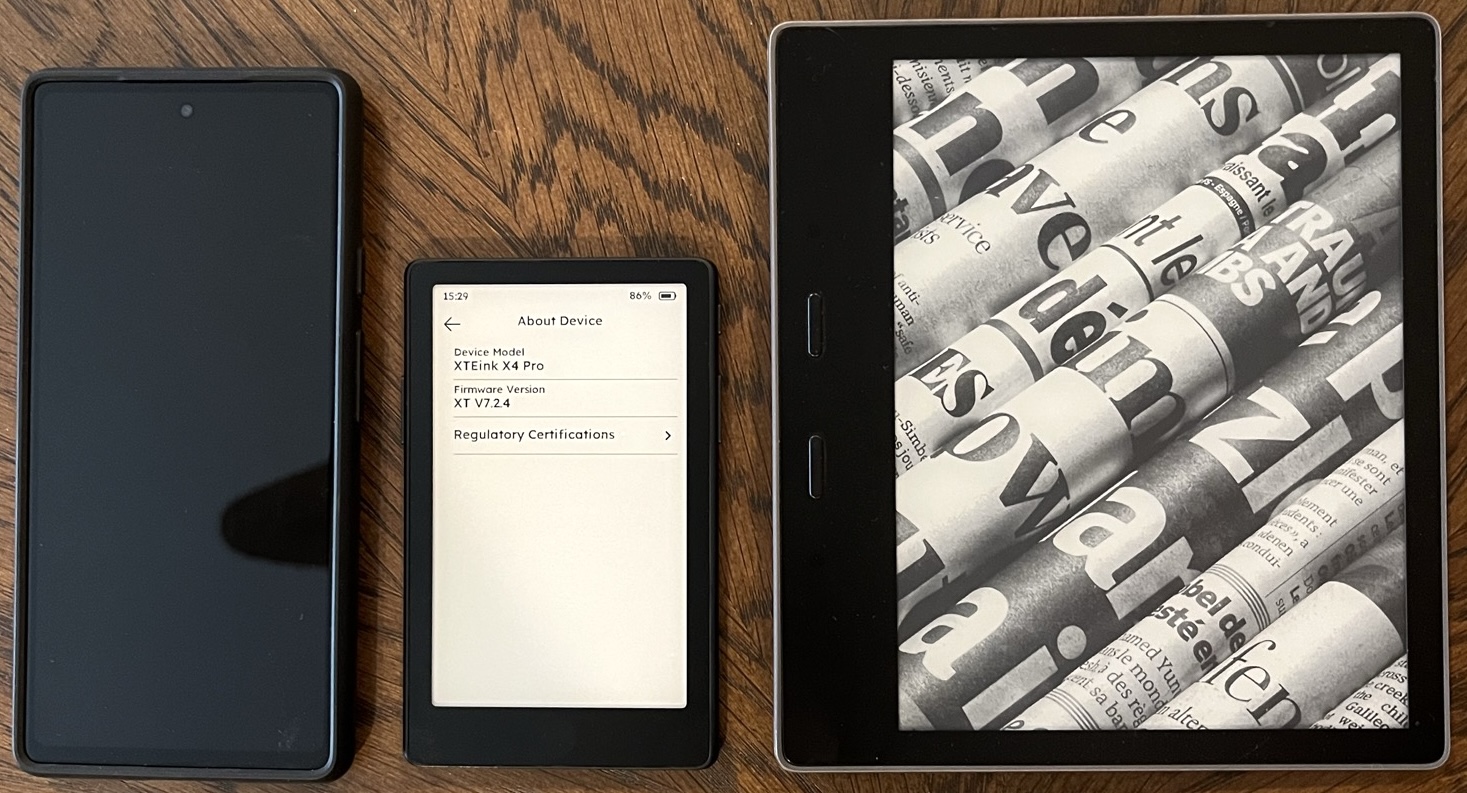
    The 13.3″ Boox serves a very specific purpose for me. I do not take it on most travel due to the size. It is my morning companion at home. The XTEINK X4 Pro is tiny with a 4.3″ screen and can go everywhere. The following compares the XTEINK X4 Pro (middle) with a 6.1″ Pixel (left) and Kindle Paperwhite (right).
    When I powered the unit, it asked me to select my language. It then prompted me to download additional fonts for a smoother experience. When browsing Wi-Fi networks, it only detected 2.4 GHz networks and not my 5 GHz routers. I was fine with this, as I don’t need fast internet access. Actually, I don’t need any internet access.

    Most of the e-readers I have tested over the past several years were simply e-ink tablets running a minimal version of Android. This is great for side-loading apps, but I never really needed Android for this purpose. The XTEINK X4 Pro runs on its own minimal and lightweight firmware which appears to be less than 6 MB in size.

    This is the main reason I wanted the XTEINK X4 Pro. It allows you to install your own open-source firmware to run the system. The most popular are CrossPoint and CrossInk. These are backed by a large community of e-reader enthusiasts. I wanted to install CrossInk, so I ignored all of the onboarding.

    There is no USB port on the device. Instead, you also receive a magnetic adapter which connects to the back and supplies a USB-C port. I connected the device to my computer and navigated to the online tool at https://inky.crossink.dev/#flash-tools. This will prompt you to allow an extension, but it is actually just using Firefox’s built-in serial access software. There is nothing to install or uninstall.

    The online tool prompted me to select my device model and the latest version of the software. I had to flash it twice, but the process was quick and smooth. I now had a fully open-source firmware with many more features and fonts than the stock option.

    Loading books is as easy as dragging them to the included 16 GB microSD. You can create any folders desired if you want organization. You can connect to the device via USB or connect the card to your computer. I prefer the latter. I try to keep my entire eBook collection in EPUB format, and every file I threw at it loaded fine. The first load takes a few seconds but subsequent loads are fast.

    I have used traditional Kindle-sized readers which sit in the middle of the XTEINK X4 Pro and a 13.3″ reader. At first, reading on the XTEINK X4 Pro was awkward. The small screen sort of reminded me of those speed-reading trainers which show you a limited number of words in fast succession. After about 5 minutes, my brain understood what was going on.

    The default font was a little small for my eyes. I increased the font within settings and allowed my book to re-index. This looked better to my eyes.
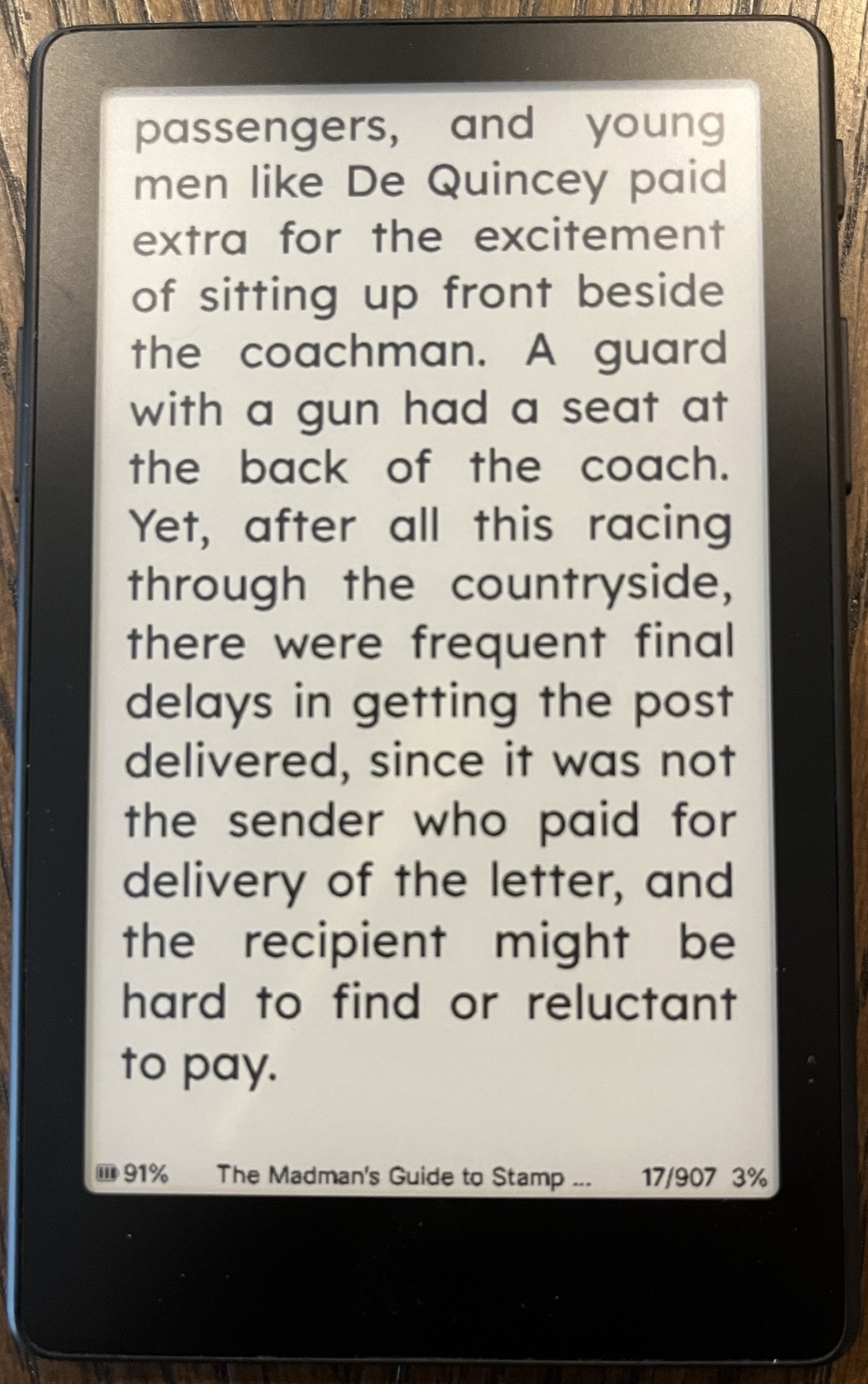
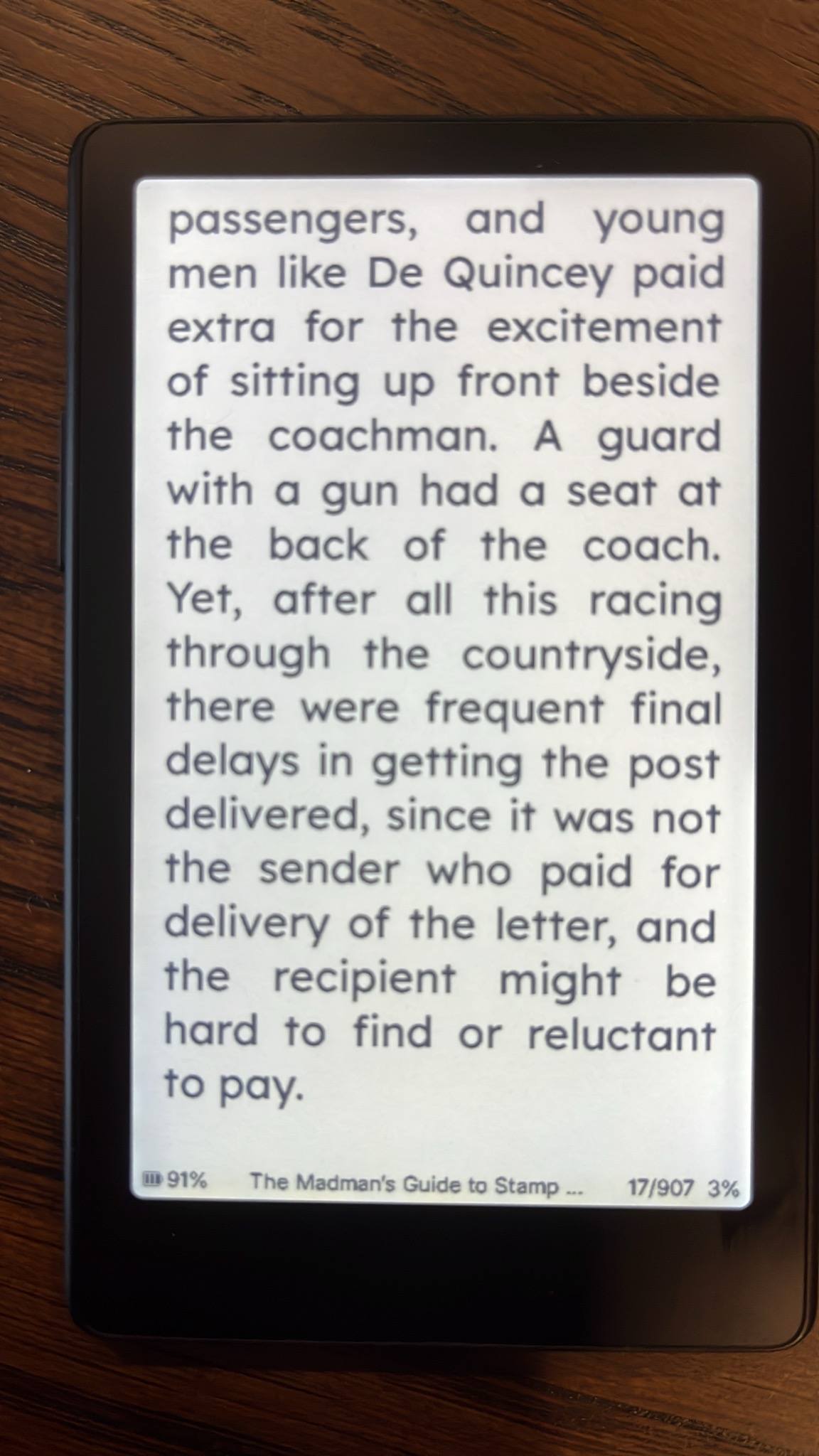
    The Pro model includes a front light, but I typically read in decent lighting. The following images show the front light in use on both a light and dark theme. The dark theme is only available with the custom firmware.
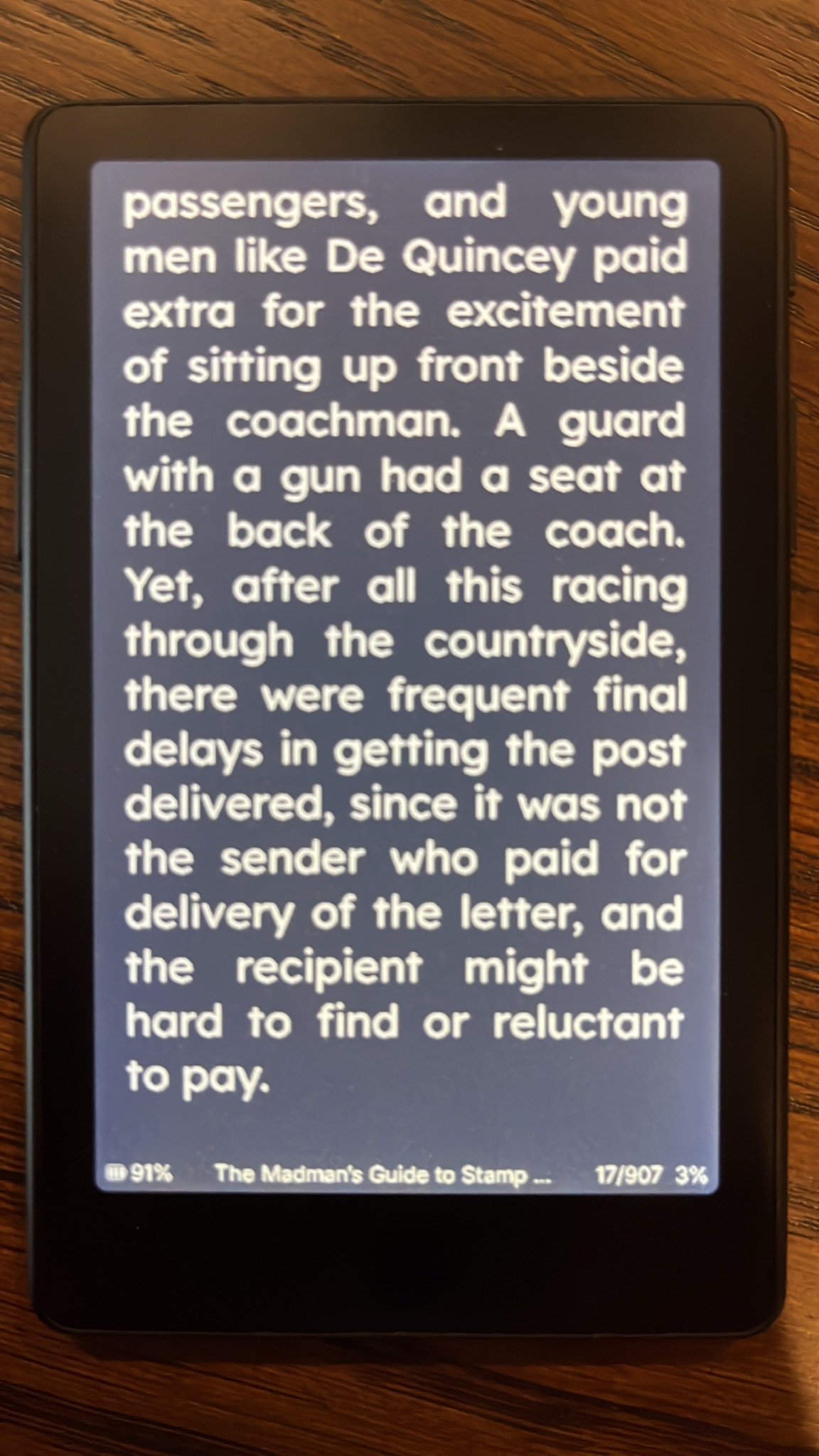
    My initial complaint is the same issue I have always had with books on these devices. It is hard to understand how far into the content you are. This is not a fault of this unit, but all readers in general. With PDFs on large readers, this is somewhat remedied because I am reading the intended layout. Each page flip is a true page flip. The EPUB files reposition the text as needed for the reader. A 200-page eBook on a Kindle might be 1200 pages on the XTEINK X4 Pro. Again, no fault of the devices.

    After a while, I got over this. I was sitting on a plane holding the XTEINK X4 Pro. I noticed my eyes did not need to travel as much with the smaller screen. It felt as if I was reading faster than a traditional book or Kindle. I was definitively ingesting data faster than a large device.

    The biggest feature to me was the page turn buttons on both sides of the screen. I am used to readers which have “up and down” buttons on one side of the device. This is not natural to me. This unit has a button on the left to go back and on the right to go forward. It made sense, especially holding with one hand. Battery life was phenomenal, as expected with such a small screen. Page refreshes were quick and clean. I saw no ghosting of previous text. After reading for any extended time, my mobile device felt huge.

    At the time of this review, the XTEINK X4 Pro was $85 on Amazon (https://link.amazon/B0crT7xQO). Retail is $99. If you do not want the front light and touch screen, the X4 was only $75 with a retail of $90 (https://link.amazon/B09plEaDk). Personally, I believe it is worth the $10 for these features.

    If you want a truly portable and tiny e-reader, this is the way to go. Understand the limitations. You are not going to read large PDFs on this thing or any DRM-protected files. EPUBs work great. It really is a single-purpose device. It makes sense for me during travel or for notes during a presentation. I like that mine has never connected to the internet, has no apps, and runs on open-source firmware. I just want to read.

    Disclosures: I am not affiliated with any companies mentioned within this article. I was not paid or asked to write any reviews. I receive commissions through Amazon affiliate links within this blog, but not directly from any of these companies.

    Source: IntelTechniques · 2026-10-09

  • Gear Review: OLYVUE V78 Dash Cam

    Gear Review: OLYVUE V78 Dash Cam

    I have been preaching about dash cams for years. I believe everyone should have one and I won’t drive a vehicle without one. I have reviewed numerous dash cams on my podcast and within the magazine, and I recently encountered a situation which forced me to review my recommendations.

    I have a friend who has always been resistant to placing a dash cam in his vehicle. He understands my reasons for using them, but had always assumed he would never find himself in a situation to need one. Recently, he was involved in a minor traffic crash where the vehicle in front of him backed into him while trying to allow someone to turn in front of them. The police showed up and made a report and my friend assumed it was no big deal. The car in front of him later told their insurance that they did not back in to my friend, but in fact, my friend had struck them. My friend’s insurance took the stance of 50% fault to each party, which was likely to raise my friend’s insurance rates. He finally wanted a dash cam.

    I picked him up and showed him the unit within my vehicle. A few years ago, when I was testing dash cams, I started with the popular brands from the big box stores. What I learned was that those overpriced devices worked the same as more affordable options available online. I felt like I was paying more for the marketing team instead of the hardware. After extensive review, I began using the VIOFO (https://link.amazon/B08O68uyS) dash cams in my vehicles.

    What I liked about the VIOFO cameras is that they were small and out-of-the-way. These compact devices fit behind my rearview mirror and I cannot see them while I am driving. I forget that they are there. I showed my friend my camera and offered to play back video from just a few minutes prior.

    His response was neutral. He didn’t like the small screen, and he did not like the placement. He wanted a unit with a larger screen which could be viewed at any time within the vehicle. He wanted something he could use to show a police officer what had happened in the event of another crash. He wanted more “oomph” to let people know he was recording while I prefer to stay discreet.

    I have never cared much about playing video in the car. I assume that I will always extract my own video from the microSD card when needed, and I don’t ever need to show anyone video from the device itself (aside from this demonstration). My friend insisted on something bigger, so I began my research. I landed on the OLYVUE V78 (https://link.amazon/B0aehLDRA).

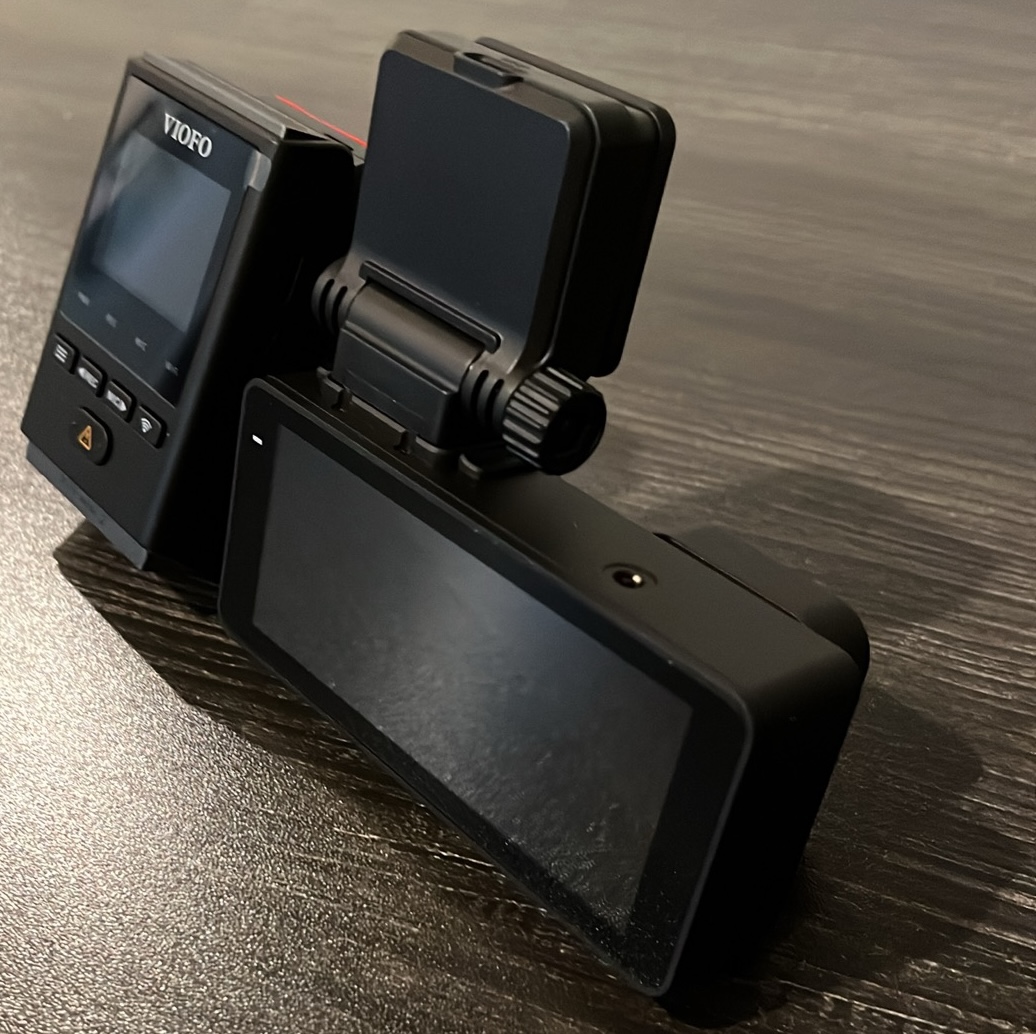
    This unit has all of the common specs. 4K video in front with 2K in rear with access directly via SD card or over Wi-Fi. These are the standards. What I liked for my friend was the size. I tried to capture the difference in size and screen from the VIOFO (left) and OLYVUE (right).

    We hooked it up and ran it through our tests. Video was sharp and everything worked right out of the box. Auto-recording to the included 64 GB SD card was already configured. However, he decided to buy a larger card.

    The V78 came with a rear camera. I typically do not use these, but I understand those who do. You place it in the rear window, but must run a cable from the rear to the front device. With enough time and skill, you can hide this fairly well. He wanted the full protection while I can take it or leave it.

    The unit is very lightweight and the provided adhesive was more than efficient. Video was always stable and the device never seems like it is going to detach. GPS coordinates are embedded and we decided to disable the audio. I believe this is appropriate for the other people in my car and my own embarrassment if caught singing.

    You can download their app and connect to the device and recordings over Wi-Fi. I did not test this as I never use this feature. I simply want a reliable dash cam to capture the files. They can always be copied from the SD card or viewed from the device.

    The price on the OLYVUE V78 is fair. As of this writing, the unit with both front and rear cameras with 4K on front was $159 on Amazon (https://link.amazon/B0aehLDRA). Similar devices in stores were over $300.

    Do I really need 4K video of my driving? I guess it depends on whether I will ever need the detail. I think I could get away with 1080p at a minimum. However, if I end up in court over someone else’s behavior, I want the best clarity I can get. Ideally, I will never need my dash cam footage and this is all a waste of money. If I am wrong, I will be glad I added one to my daily routine.

    Disclosures: I am not affiliated with any companies mentioned within this article. I was not paid or asked to write any reviews. I receive commissions through Amazon affiliate links within this blog, but not directly from any of these companies.

    Source: IntelTechniques · 2026-10-09